ArtSobo
A canvas art platform with a rendering engine written from scratch.
01 / The problem
ArtSobo is a canvas-based digital art platform. I had never worked with Canvas before this. I built the rendering engine from scratch, before AI coding tools existed, and it is the build I am proudest of.
02 / Decisions
Learn the Canvas API, then own it
I wrote the rendering engine on the Canvas API myself, so I understand every behaviour in it all the way down.
A multi-repo frontend
The frontend is a multi-repo architecture, with advanced rendering components kept apart from the app shell.
03 / The system
How the frontend fits together
04 / Results
- Live at app.artsobo.com.
More detail
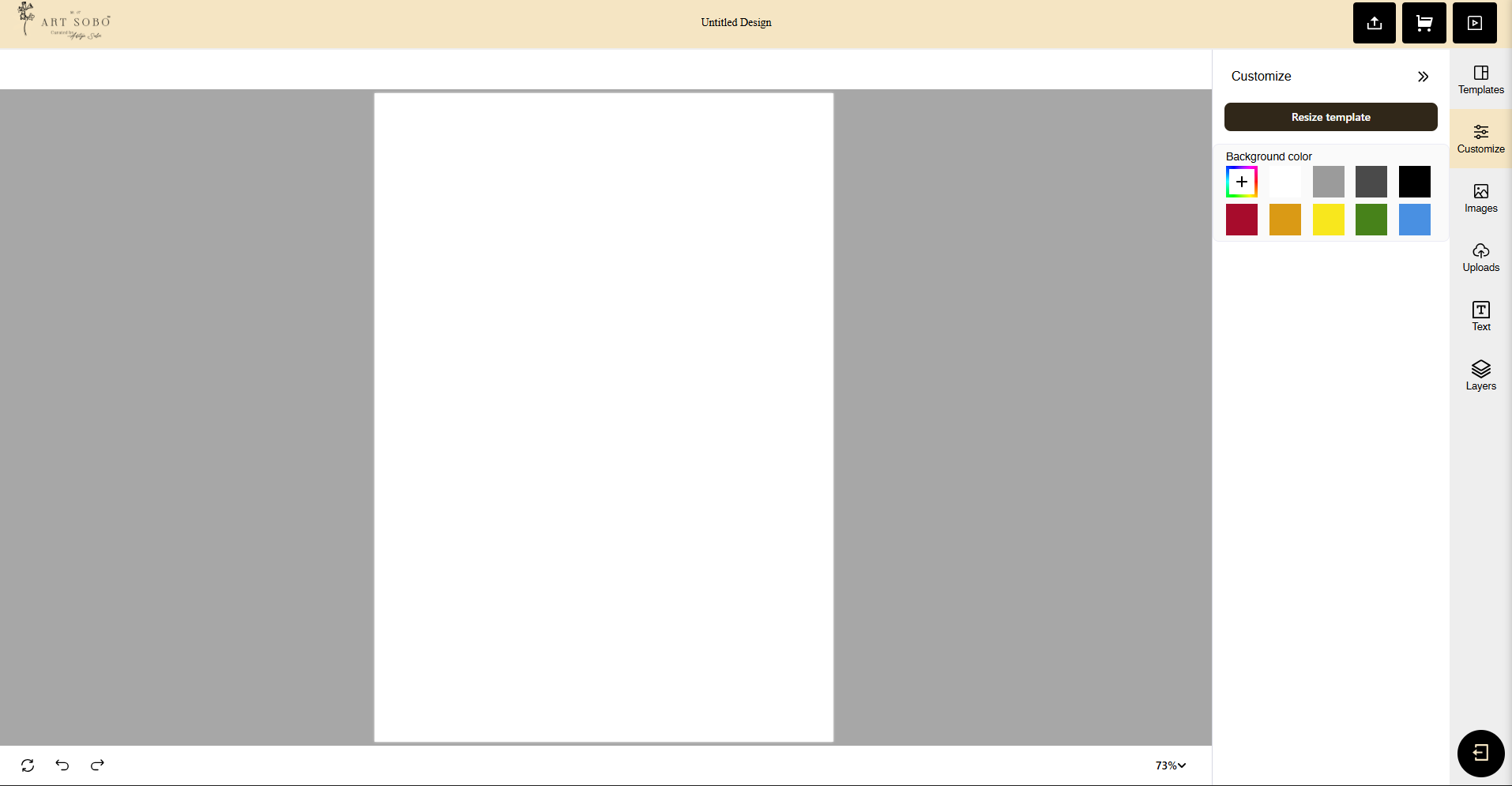
Artsobo Canvas App
Overview
Artsobo Canvas App is a portfolio project centered on product design execution in a modern web stack. The experience is built around an interactive canvas surface and a clean UI layer, emphasizing usability, visual clarity, and responsive layout patterns.
While the core is interaction-driven, the project is also a practical exploration of:
- UI/UX structure for canvas tooling
- Component design systems using Tailwind utilities
- Performance-minded rendering and interaction feedback
What I Designed
Interaction Model
The primary workflow is designed to feel “direct manipulation” first:
- A clear, minimal canvas stage
- Controls that stay out of the way until needed
- Predictable selection + action patterns (reduce cognitive load)
Visual System
The UI prioritizes legibility and hierarchy:
- Strong spacing rhythm
- Lightweight panels/toolbars
- Accessible contrast and consistent states (hover/active/disabled)
Layout & Responsiveness
The layout is designed as a flexible shell:
- Canvas gets priority space
- Tooling adapts across breakpoints
- Panels collapse gracefully on smaller screens
What I Built (Implementation Notes)
This project uses:
- React for composable UI and interaction state
- Tailwind CSS for rapid iteration on layout and styling
- A canvas rendering layer (HTML Canvas and/or a canvas abstraction, depending on the repo)
Key implementation ideas:
- UI is broken into reusable components (buttons, panels, tool sections, modals)
- State is managed to keep canvas updates responsive and minimize unnecessary re-renders
- Styling favors tokens/utility composition to keep the design consistent and scalable
Features (Planned / Typical for This Build)
These are written as portfolio-friendly capabilities. Once I can read the repo, I will replace this section with the exact implemented feature list.
- Canvas stage with user-driven interactions (select / move / manipulate)
- Tooling UI (toolbar/panel) designed for clarity and speed
- Responsive layout for desktop and mobile
- Clean component primitives (inputs, buttons, toggles, panels)
- Design-focused details: transitions, hover states, and consistent spacing
Design Challenges & Decisions
1) Keeping the UI Calm
Canvas apps can become visually noisy quickly. I kept controls minimal and grouped actions so the user always knows “where to look next.”
2) Prioritizing the Canvas
The canvas is the product’s core. Panels and controls are designed to support it—never compete with it.
3) Tailwind as a Design System
Tailwind helps iterate quickly, but consistency is a choice. I used repeated patterns for:
- spacing
- typography scale
- component states so the interface remains cohesive.
Outcome
Artsobo Canvas App demonstrates product design thinking translated into a working UI: structured workflows, clear hierarchy, and responsive interaction patterns—implemented in a modern React + Tailwind stack.
Next project
SpendSavvy